








AI for Lighting Designers: Ardra Zinkon Shows How to Put It to Work
A practical session on AI, lighting design, submittal reviews, Revit and rendering drew strong audience engagement—and plenty of cameras pointed at the screen.
Artificial intelligence presentations are everywhere right now, but many stay at the 30,000-foot level. This one did not.
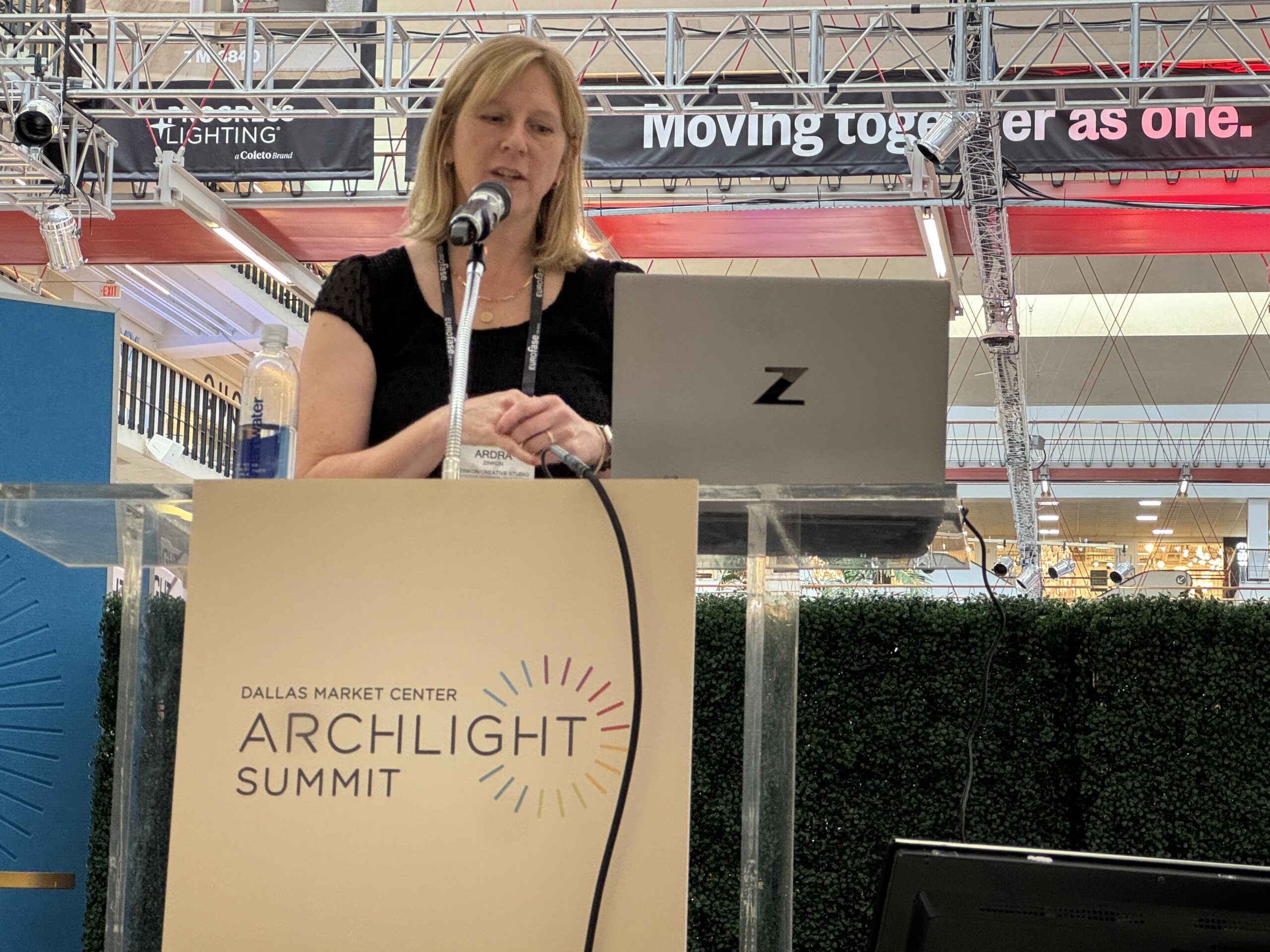
Ardra Zinkon, CLD, IALD,President, Director of Lighting Design, Zinkon Creative Studio, focused her presentation on how AI for lighting designers can be used today in practical, time-saving ways. She explored applications ranging from Revit automation and submittal reviews to rendering, visualization and everyday workflow improvements.
I liked the presentation very much. It was practical, honest and clearly connected to the work lighting designers do every day. The audience seemed to agree. Throughout the session, people were taking pictures of her slides, and the presentation ended with a steady stream of questions.
AI for Lighting Designers Is Already Changing the Workflow
Ardra began by acknowledging the enormous amount of attention surrounding artificial intelligence. She also addressed concerns about AI development, cybersecurity and the speed at which the technology is advancing.
However, the heart of her presentation was not about whether AI will eventually transform the profession. Instead, she focused on where it is already saving time.
One area is BIM.
Ardra discussed the growing number of AI tools and third-party plug-ins being developed for Revit. Some allow users to give high-level instructions such as creating sheets, tagging rooms or tagging lighting fixtures. The designer still makes the design decisions, but AI can increasingly handle repetitive production work.
That distinction was important throughout her talk.
AI is not necessarily replacing the lighting designer. It is removing some of the tasks that consume a designer’s time.
She also pointed to Autodesk’s continued move toward incorporating AI directly into its software environment. Major architectural and engineering firms are investing heavily in these technologies, but Ardra said much of the immediate value comes from automating routine work rather than handing design decisions to a machine.
AI Renderings—Useful, but Not Quite Renderings
One of the strongest parts of the presentation dealt with visualization.
Ardra has experimented with several AI image tools to communicate lighting concepts to clients. Her experience has been mixed.
She showed an outdoor project at the Franklin Park Conservatory in Columbus, Ohio, where she wanted to demonstrate how large architectural arbors could look at night. Midjourney produced attractive images, but it also kept redesigning the architecture!
That was not what she needed.
Other attempts came closer, but one nighttime image still showed shadows created by daylight. As Ardra explained, AI can recognize patterns without necessarily understanding the physics behind what it is creating.
She eventually had better success with Artlist.io. By uploading an existing design image and giving very specific directions, she could create nighttime concepts in roughly 90 seconds.
The prompting language matters.
Instead of telling the system to use a 3000K source or a 10-degree beam, Artlist seemed to prefer terms such as “warm white,” “cool white,” “spot” and “flood.”
Call Them “Inspiration Images”
Ardra also offered one of the best pieces of advice from the session: be careful about calling AI-generated visuals “renderings.”
She refers to them as inspiration images.
That language recognizes the limitations of the technology. Each time an AI system revises an image, it may reconstruct parts of the entire scene. Windows can change. Trees can move. Architectural details can suddenly appear or disappear.
Despite those limitations, Ardra sees real value in the tool.
She demonstrated how AI-generated images could help clients compare pole designs, banners, flower baskets, architectural lighting treatments and even different ceiling finishes. These images can be generated quickly and inserted into studies to help an owner visualize a concept before more expensive rendering work begins.
For a small design firm without an in-house visualization department, that can be a significant advantage.
Submittal Review May Be the Bigger Opportunity
While the renderings were visually impressive, the discussion about submittals may have been even more relevant to everyday practice.
Ardra described using AI as another set of eyes on large lighting submittal packages.
On one higher-education project, her firm had reached its fourth submittal. She discovered by page 10 that comments from an earlier review still had not been addressed. Her point was simple: when the package is hundreds of pages long, AI can help identify differences, compare documents and flag potential problems.
It does not replace professional review.
“You still do your due diligence,” she told the audience. Instead, she views AI as a way to create a large flag that helps direct her attention to the areas that require closer examination.
That distinction resonated with the audience and generated several questions about iterative submittals and controls packages.
Claude, ChatGPT and Knowing the Tool
The Q&A also produced a lively discussion about which AI platforms work best.
Ardra said she had become frustrated at times with ChatGPT because it could be too agreeable. She has found Claude useful for some more technical tasks, while ChatGPT may work better for certain narrative applications.
Another audience member made a similar observation, saying members of a Texas designer AI group were increasingly using Claude for business applications while continuing to use ChatGPT for personal tasks. The larger point was not that one platform is universally better.
Different tools have different strengths, and those strengths continue to change.
 A Practical Look at AI
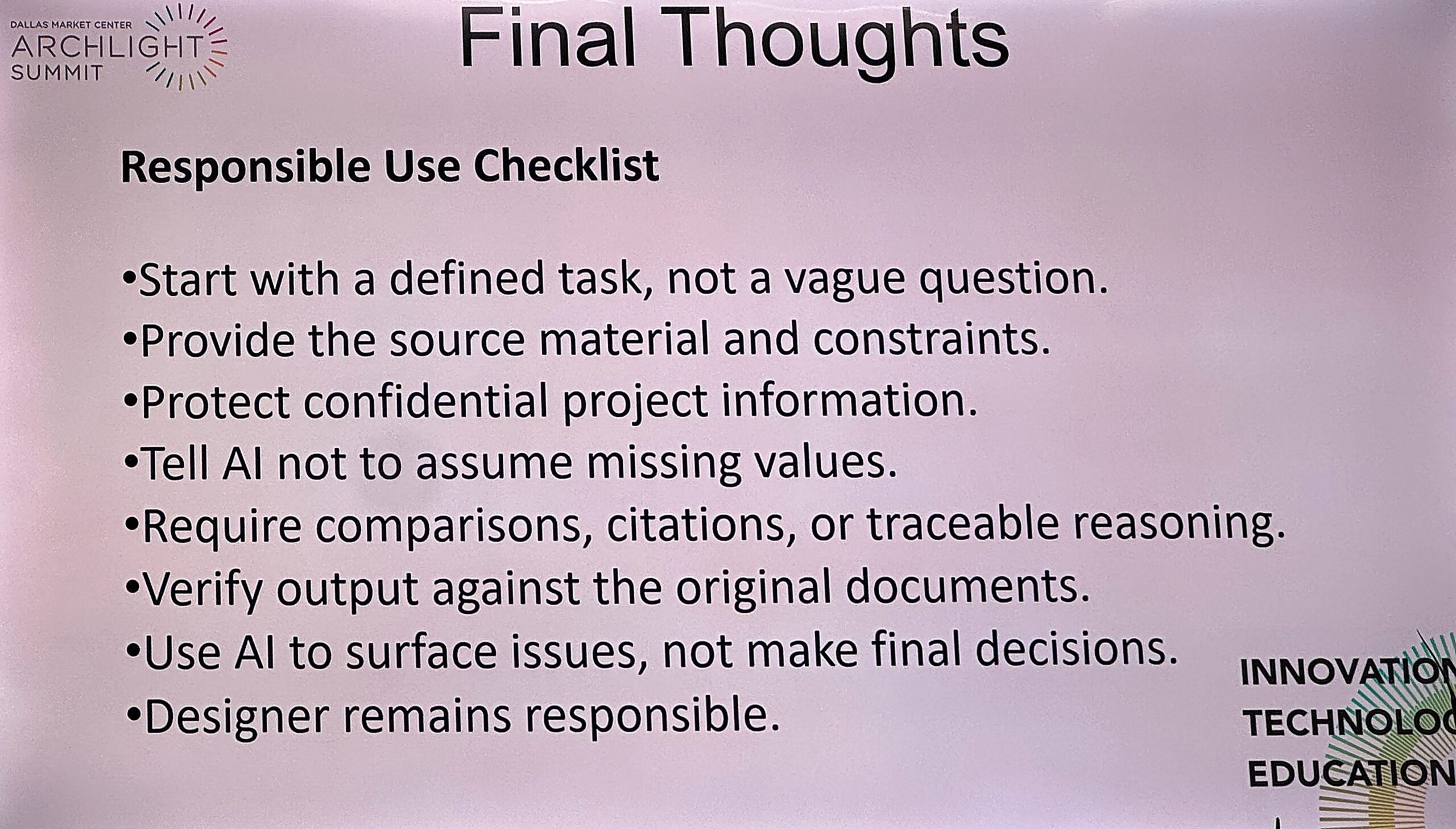
Ardra closed with a straightforward recommendation: define the task clearly, provide source material and constraints, and tell the AI system how you want it to respond. That may have been the theme of the entire presentation.
AI works best when the person using it knows what they are trying to accomplish.
For lighting designers wondering where to begin, Ardra provided something much more useful than another prediction about the future. She showed what is working now, what is not working yet and where AI can genuinely save time.
Judging by the number of phones photographing her slides—and the number of questions afterward—the audience was paying attention.
Go Deeper: ArchLIGHT Summit Education: Beyond the Show Floor