






Live Models, Real Gains: Takeaways from IES25’s Real-Time Lighting & DALI Workshops
On Thursday, your humble editor briefly attended the Real-Time Lighting Workshop and the “Let’s Talk About DALI” session before heading to the Global Lighting Summit.
Hardware and Audience Snapshot
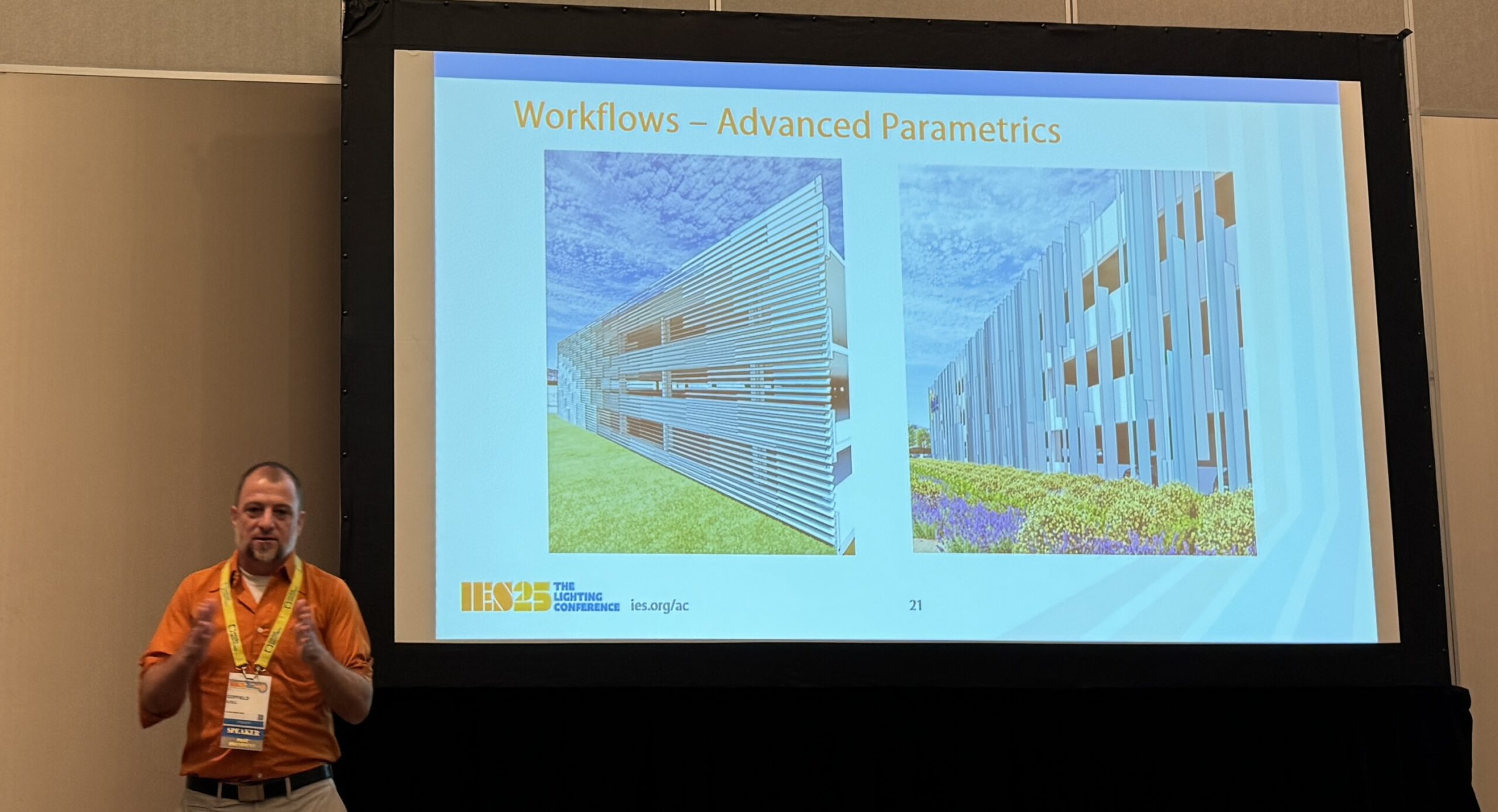
At IES25 in Anaheim, Cy Eaton of HLB Lighting Design welcomed presenters Coffield King, Tyler Starow, and Keanu Lyles-Hale. MSI provided workstations for live demos—useful given the focus on GPU-driven visualization. The room skewed toward practitioners: about eight lighting designers, three engineers, and a mix of other pros.
Tools Are Converging: Revit, Rhino, and Grasshopper
Coffield opened with a quick history lesson: by 2018, desktop machines had grown powerful enough to handle ray tracing in-studio, not just in render farms. A show of hands confirmed the prevailing toolset—Revit remains the day-to-day hub—yet the wall between platforms has thinned. The team showed how Rhino now launches inside Revit, with Grasshopper acting as the parametric “brain” driving geometry and lighting behavior across both environments.
Why Real-Time Matters
Tyler framed the “why.” Client expectations now extend far beyond static images. Increasingly, they want live models and believable walkthroughs that reveal ceiling conditions, daylight, and luminance cues across a full sequence. “The better we understand the model, the better we can light the space,” he said, noting that real-time visualization has become standard practice—and a competitive edge.
Pick a Pipeline: Attached vs. Detached
The workflow discussion stayed pragmatic. The team contrasted “attached” pipelines—live links from Revit to tools like Enscape—with more “detached” hand-offs to Twinmotion or game engines when deeper interactivity is required. The caution was clear: continuous live updates can bog performance, while fully detached models can drift out of sync with the BIM. Their rule of thumb: stay linked as long as you can; detach only when the brief demands advanced effects.
One reminder resonated: great renders start with great geometry. If the BIM lacks complete walls, ceilings, or clean links, no visualization stack will save you.
Next, I was off to the DALI Workshop…
DALI Workshop: A Plain-Spoken Primer

I quickly visited “Let’s Talk About DALI.” Carol Jones of the DALI Alliance delivered a crisp primer on what DALI is, what it isn’t, and why it matters. “This is not interchangeable; it’s not ‘all the same,’” she emphasized. DALI works best when manufacturers set it up correctly and the project team understands how it operates.
Carol advised starting with wiring and system basics. The learning curve will feel familiar to anyone who knows drivers and controls, yet DALI is “far more capable.” She cited outdoor and indoor use cases where integrated sensors enable level control, cross-fixture coordination, and meaningful energy savings. She also stressed design discipline: sensor placement and uniformity matter, especially in retrofits where an integrated sensor per fixture can make dimming and behavior “very natural, very easy.” In addition, the DALI Alliance collaborates with other standards bodies and provides interfaces to wireless layers so a DALI bus can hand off cleanly to a wireless system when needed.
Training and Commissioning: Progress Underway
Training and commissioning surfaced repeatedly. When an audience member suggested a DALI-certified program, Carol explained that the Alliance is developing training. DALI Alliance CEO Paul Drosihn added that progress is strong, though he could not commit to calling it a formal certification program. He agreed that robust training is needed; the exact label remains under discussion.
I regretted leaving the workshop early, but needed to attend the Global Lighting Summit. More on that soon.